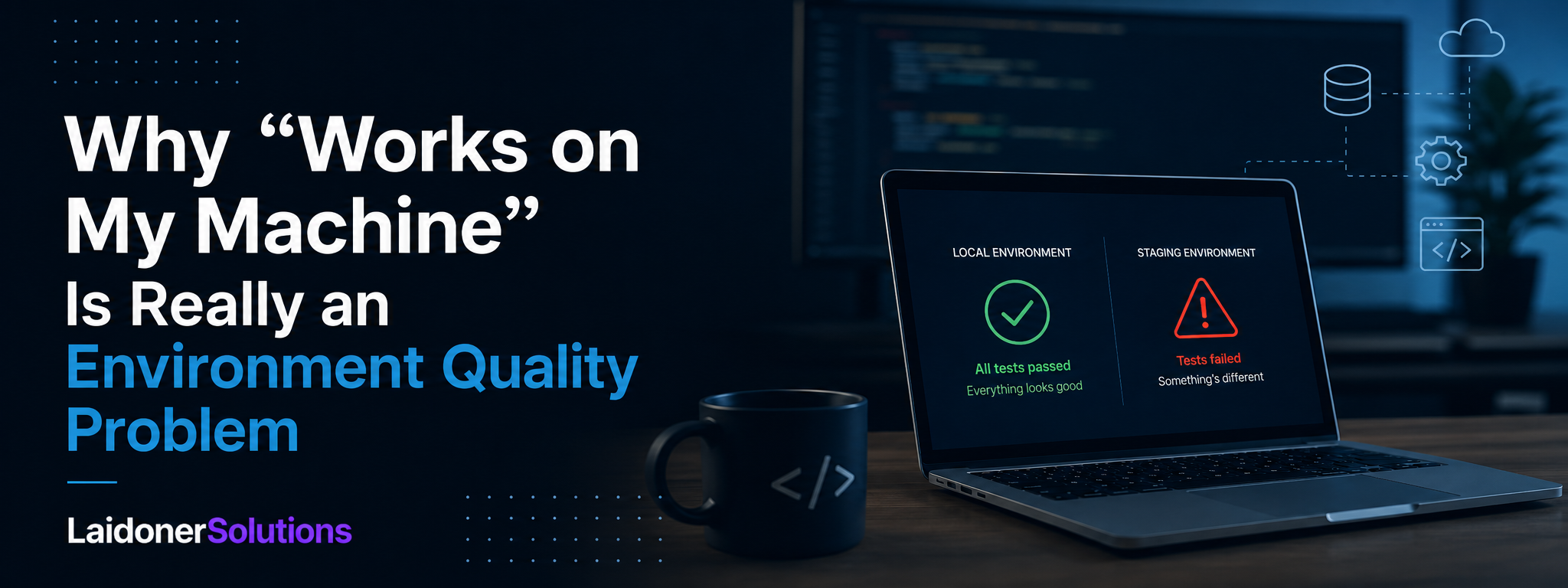

Why “Works on My Machine” Is Really an Environment Quality Problem
“Works on my machine” is rarely the end of a debugging conversation. It is usually evidence that development, testing, staging and production environments do not behave consistently enough.
“Works on my machine” is one of the most familiar sentences in software development.
A developer runs the feature locally. The page loads. The request succeeds. The automated tests pass.
Then the change reaches a shared test environment and fails.
The API cannot connect to the database. An image-processing library is missing. The wrong feature flag is active. The frontend points to an old backend. A migration has not been applied. The browser behaves differently. A background worker is not running. The test account does not have the same permissions.
Nothing is obviously wrong with the code on the developer’s laptop.
That is precisely the problem.
When software works in one environment and fails in another, the issue is not simply that a developer made a mistake or that QA tested incorrectly. It usually means the team does not have enough control over the conditions in which its software is built, tested and run.
“Works on my machine” is often an environment quality problem.
The local machine provided one set of assumptions. The test or production system provided another. The software exposed the difference.
A reliable software team should not depend on every person’s laptop behaving coincidentally like production. It should make those differences visible, intentional and testable.
The code is only part of the product
Teams naturally focus on application code.
They review pull requests, write tests, track defects and discuss whether a feature was implemented correctly.
But deployed software is more than source code.
Its behaviour also depends on operating systems, runtime versions, package versions, browser versions, databases, schemas, environment variables, secrets, service endpoints, feature flags, queues, background workers, caches, external APIs, network rules, cloud permissions, deployment scripts and available resources.
The same application code can behave differently when any of these conditions change.
A developer may use SQLite locally while production uses PostgreSQL. Their laptop may run a newer version of Node.js. A local email service may accept any address while the production provider enforces domain rules. Local storage may be empty while production contains years of historical data.
The application has not entered a neutral environment. It has entered a different system.
What does environment quality mean?
Environment quality is the degree to which an environment is correctly configured, representative of the system it is meant to simulate, stable enough for meaningful testing, reproducible, observable, appropriately isolated, documented and controlled through code or repeatable processes.
A high-quality test environment does not need to be an exact copy of production.
That is often too expensive, risky or technically impossible.
It does need to preserve the characteristics that matter for the behaviour being tested.
If the product uses PostgreSQL-specific behaviour, testing against an in-memory database may not provide useful confidence. If user authentication depends on an external identity provider, a local bypass may hide integration problems. If production uses asynchronous queues, running every task synchronously in development can conceal timing and state issues.
The key question is not whether the environment is identical to production.
The better question is: are the differences understood, controlled and relevant to the risk being tested?
“Works locally” is evidence, but not enough evidence
A feature working locally is useful.
It confirms that the implementation can work under at least one known set of conditions. It helps developers receive fast feedback and investigate basic problems before sharing their work.
But it does not prove that the change is deployable.
Local environments are normally optimised for convenience. Services may start automatically, authentication may be simplified, test data may be clean, network access may be unrestricted, debug behaviour may be enabled and errors may be shown directly.
These conditions can hide dependencies.
A developer might have installed a system package six months ago and forgotten that the application relies on it. A configuration value may exist in their shell profile but nowhere in the project setup. Their database may contain a schema change applied manually rather than through a migration.
The application works, but the process required to make it work is not reproducible.
That is why the correct response to “works on my machine” is not necessarily frustration. It is curiosity.
What is different about the machine? Which dependency is present locally? Which configuration value changed? Is the same build being tested? Is the same data state being used? Can another developer reproduce the result from a clean setup?
The local result is a clue. It is not the final verdict.
Common causes of environment-specific failures
Environment-specific failures often come from dependency versions, missing configuration, database differences, feature flags, external services, operating-system differences or timing and resource differences.
One developer may install packages from an existing local cache while CI performs a clean installation. A runtime may be newer on one machine than another. A browser automation test may use different browser binaries locally and in CI.
Applications also commonly use configuration values for database connections, API URLs, authentication issuers, storage buckets, email providers, analytics, feature flags and callback URLs. A variable can be missing, incorrectly named, outdated or scoped to the wrong deployment.
Database differences are another common cause. Local databases are often small, clean and disposable, while shared or production-like databases may contain old records, duplicated information, partially migrated data, larger volumes and state combinations created by older versions of the application.
The application may be working exactly as configured. The configuration may still be wrong.
Feature flags and external services add more variation
A developer may test a feature with a flag permanently enabled. QA may receive a different configuration. Production may expose the feature only to selected organisations, account types or regions.
The code can be correct while the deployed user journey is incomplete because another component remains disabled.
External services introduce similar gaps. Email, payment, identity and messaging providers usually provide test or sandbox modes, but these are not always equivalent to production.
A sandbox may respond immediately while production uses delayed webhooks. Test payments may never require additional authentication. A mock identity provider may accept claims that the real provider rejects. A local email viewer may not reproduce delivery filtering or template configuration.
The application can pass every local check while failing at the point where it meets a real external system.
Environment drift: when systems slowly stop matching
Environment differences are not always introduced intentionally. They accumulate.
Someone updates a package manually in staging. A production secret changes without updating the test environment. One environment receives a database migration twice. A feature flag remains enabled after an experiment. A cloud permission is added directly through a console and never recorded.
Over time, environments drift apart.
The team may still refer to staging as though it has a clear, stable meaning, while its actual configuration is the result of months of manual changes.
This creates three problems.
First, defects become difficult to reproduce because nobody can easily state the exact conditions under which they occurred.
Second, test results become less meaningful. Passing in staging proves little if staging no longer represents the intended deployment.
Third, recovery becomes risky. If an environment cannot be rebuilt from known definitions, the team depends on preserving its current accidental state.
Infrastructure and configuration should therefore be treated as controlled product assets, not background administration.
Why staging is often less reliable than teams think
Staging is commonly described as the environment that represents production.
In reality, it often represents production only partially.
It may contain fewer services, smaller infrastructure, synthetic users, shared test accounts, mocked external systems, different authentication, weaker security rules, manually changed configuration, newer or older code than expected and data states that production never contains.
This does not make staging useless.
It means staging must be understood rather than trusted automatically.
A staging environment is valuable when the team knows which production characteristics it reproduces, which differences are intentional, who controls its configuration, which version is currently deployed, whether test data can be reset, how failures are observed and whether external integrations are real, sandboxed or mocked.
Without that information, “passed in staging” can become another version of “works on my machine.” The machine is simply shared.
A broken test environment can create false defects
Environment problems do not only hide bugs.
They can also create findings that are not caused by the product change.
A payment test may fail because the sandbox is unavailable. Registration may fail because the shared email inbox reached a limit. An API may return an old response because a cache was not cleared. A permission test may fail because another tester changed the account. A page may be blank because the frontend and backend deployments are incompatible.
QA then spends time investigating what appears to be an application defect.
Developers may reproduce the flow locally and report that it works. Both sides can be correct.
The issue is that the environment cannot currently provide a trustworthy result.
This is why environment incidents should not be dismissed as test problems. They reduce the team’s ability to assess product quality.
If QA cannot distinguish a genuine regression from a broken environment, release confidence declines.
Containers help, but they are not a complete solution
Containers are one of the most common answers to “works on my machine.”
The idea is understandable: package the application together with its runtime and dependencies so it runs more consistently across developer machines, CI and deployed infrastructure.
This can solve real problems. Runtime versions become explicit, system packages are installed predictably, service dependencies can start together, setup becomes easier to reproduce and CI can use the same image as development.
But containers do not guarantee parity.
The container can still receive different environment variables. Production may mount different files. Networking may differ. Data volume behaviour may differ. Resource limits may only exist in production. External services remain external.
A container solves packaging consistency. It does not automatically solve configuration, data, infrastructure or integration quality.
Real dependencies versus convenient substitutes
Development speed often depends on replacing complex services with simpler alternatives.
That can be a reasonable choice.
A local email viewer is easier than sending real emails. An in-memory database is faster than starting PostgreSQL. A mocked payment provider is safer than calling a sandbox for every unit test.
The problem appears when the team forgets what the substitute does not prove.
A mock can confirm that the application handles the response the team expected. It cannot confirm that the real provider actually sends that response.
An in-memory database can test repository logic. It may not reproduce transaction behaviour, SQL dialect differences, indexing or constraints.
The broader testing lesson is simple: use substitutes deliberately, and be clear about the confidence they provide.
The build should move, not be recreated
One subtle source of environment differences is rebuilding the application separately for each stage.
A team may create one build for testing, then create another build for production.
Even when both come from the same commit, the resulting artefacts can differ because of dependency resolution, timestamps, build flags, environment variables, external downloads, generated files and tool versions.
A stronger delivery approach creates one versioned build artefact, tests that artefact and promotes the same artefact through later environments with environment-specific configuration.
When teams test one build and release another, environment confidence weakens before production is even involved.
CI is another environment
Continuous integration is often treated as an objective judge.
The pipeline is green or red. The result appears authoritative.
But CI is still an environment with its own operating system, dependency cache, secrets, network access, CPU and memory, parallel execution, service containers, browser installation, time zone and locale.
A test passing locally and failing in CI may reveal a product defect, a test defect or an environment difference.
A mature team does not assume CI is correct merely because it is automated. It makes CI reproducible and diagnosable.
Test data is part of the environment
Teams often discuss environment quality without discussing data.
That is a mistake.
The same software configuration can produce different behaviour depending on the account and data state.
A new SaaS account may work perfectly while an account with an expired trial, a pending invoice, multiple workspaces, a removed team member, partially completed migration, old permissions or thousands of records reveals major defects.
Local testing usually begins from clean data. Real users rarely do.
A useful environment therefore needs more than running services. It needs data states that represent the risks the team cares about.
This can involve seed scripts, test-data factories, dedicated test accounts, API-based setup, anonymised datasets, reset mechanisms and documented state combinations.
Poor test data creates false confidence even when the environment itself is stable.
Configuration must be testable
Configuration is often treated as something outside QA.
That is increasingly unrealistic.
A large portion of modern product behaviour can be changed without modifying application code: feature availability, service endpoints, pricing, authentication settings, region restrictions, storage limits, notification behaviour, timeout values and permissions.
These values need validation.
Useful checks include confirming that required variables are present, invalid values fail clearly, environment-specific URLs point to the correct services, secrets are available only where required, dangerous development settings are disabled in production, feature flags have known defaults and configuration changes are recorded.
Configuration is not merely deployment plumbing. It is executable product behaviour.
Observability helps explain environment differences
When an issue appears only in staging or production, the team needs evidence from that environment.
Useful evidence may include release version, environment name, feature-flag state, request and correlation IDs, browser and operating-system details, service logs, network traces, database migration version, relevant account state, external-provider responses, screenshots and automation traces.
Without this information, investigation becomes comparison by memory.
People say things like “it worked when I tried it”, “nothing changed”, “the same build is deployed” or “the user must have done something unusual.”
Observability turns the environment from a black box into an inspectable system.
This is not only an operations concern. It directly affects how quickly QA and development can reproduce and understand product failures.
The QA role in environment quality
QA should not be responsible for maintaining every server or deployment pipeline.
But QA should treat the environment as part of the test system.
That means asking which version is deployed, which services are real or mocked, which flags are active, whether test data can be reset, whether the environment is stable enough for the planned testing, how it differs from production, whether failures are observable and whether the same setup can be reproduced later.
A tester who ignores environment conditions may report misleading results.
A tester who understands them can distinguish between a product defect, configuration defect, deployment defect, data problem, external-service issue, test-automation issue or environment outage.
All of these matter to release quality, but they may require different owners and responses.
QA can also identify environment limitations in reports. For example: payment failure handling was tested using the provider sandbox, but live fraud and settlement behaviour were not validated. Email generation was checked, but external delivery was not tested because the environment uses a local inbox. Permission coverage was limited because test accounts could not be reset reliably.
This makes confidence more honest.
Who owns the environment?
Environment quality often fails because ownership is distributed vaguely.
Developers expect platform teams to maintain it. Platform teams keep the infrastructure running but do not control product data. QA reports instability but cannot change deployments. Product assumes staging represents the final user experience.
A practical ownership model may look like this.
Platform or DevOps owns infrastructure, deployment mechanisms and shared environment reliability.
Developers own application configuration requirements, migrations, service dependencies and operational behaviour.
QA owns evaluating whether the environment supports meaningful testing and communicating its limitations.
Product helps define the important account states, feature configurations and user journeys that must be represented.
The delivery team collectively owns whether a passing result from that environment is strong enough to support release confidence.
The environment should not belong to whoever last fixed it.
How to improve environment quality
Teams can improve environment quality by making environments explicit instead of accidental.
Document the purpose of each environment: local development, automated integration testing, pull-request preview, shared staging, release candidate and production.
Record intentional differences in services, data, infrastructure, authentication, feature flags, external integrations, security settings and observability. Differences are not automatically bad. Unknown differences are.
Put configuration under control by using versioned definitions, deployment variables, secret management and repeatable provisioning instead of undocumented manual changes.
Use reproducible builds. Pin important runtime and dependency versions. Build once where practical and promote the same artefact through the pipeline.
Automate environment validation before running expensive tests. Check that required services are available, the correct version is deployed, migrations are current, essential variables exist, test accounts are usable and external sandboxes are reachable.
Improve data setup with factories, APIs or scripts that create known account states. Avoid depending on data left behind by previous testers.
Reduce shared-state dependency with unique identifiers, isolated accounts or temporary environments where the risk and cost justify them.
Make failures observable and review drift regularly.
A practical example
Imagine a team adding CSV exports to a SaaS reporting product.
The developer tests locally. The export works.
In staging, the request fails after 30 seconds.
The immediate response might be: “it works on my machine.”
But investigation reveals several environmental differences. The local database contains 50 records. Staging contains 500,000. The developer runs export generation synchronously. Staging sends it to a queue. The staging worker has not been deployed. The object-storage credentials are missing. The configured request timeout is shorter.
The feature is not simply working or broken.
Different parts of the journey were tested under different conditions.
The local test proved that a small export could be generated by the application code. It did not prove that the production-style asynchronous workflow, storage configuration or large dataset worked.
The right response is not to argue about whose result is correct.
It is to improve the environment and coverage so the team can test the actual risk.
Common environment quality mistakes
One common mistake is treating staging as automatically production-like. The name of the environment does not prove its parity.
Another mistake is fixing the environment manually without recording the change. The immediate issue disappears, but the next rebuild recreates it.
Teams also create risk when every developer uses a unique setup, when testing only happens with clean databases or when production is rebuilt separately from the artefact that passed earlier validation.
Mocks can also create false confidence when the team never validates the real contract.
Infrastructure failures should not be dismissed as “not QA.” Users do not care whether the defect came from code or configuration.
Other common mistakes include running tests before checking environment health, leaving feature states undocumented and depending on one shared account.
All of these reduce the team’s ability to trust its own test results.
When exact production parity is not possible
Perfect parity is often unrealistic.
Production may contain sensitive data, expensive services, large-scale infrastructure or external dependencies that cannot safely be reproduced.
The solution is not to pretend the gap does not exist.
Instead, identify the important dimensions of parity for each risk.
For a payment feature, that may mean the same application build, the provider’s sandbox, realistic webhook behaviour, production-like authentication and controlled failure simulations.
For a reporting feature, it may mean the same database technology, representative data volume, the same queue behaviour, equivalent storage permissions and similar resource constraints.
For a frontend feature, it may mean supported browser versions, production-style API responses, real authentication, equivalent feature flags and deployed static assets.
Parity should follow risk, not aesthetics.
“Works on my machine” should start a better conversation
The phrase is sometimes used defensively.
It can sound like the code is correct, so the problem belongs to somebody else.
That is not a useful quality culture.
A better interpretation is: we have evidence that the software behaves correctly under one set of conditions. Now we need to identify which condition changed.
That turns disagreement into investigation.
The developer’s machine, CI, staging and production are not competing sources of truth. They are different experiments.
When the outcomes differ, the difference is the most valuable information available.
Conclusion
“Works on my machine” is not proof that a feature is ready.
It is proof that the feature works under one particular combination of code, configuration, dependencies, data and infrastructure.
When the same change fails elsewhere, the team has discovered an environment difference.
That difference may involve a runtime version, a secret, a feature flag, a database, an external provider, a deployment step or a data state. Whatever the cause, it affects product quality because it affects whether the software works for the user.
Strong teams do not try to make every environment perfectly identical.
They make environments reproducible, intentional and observable. They understand the differences that remain. They test against realistic technologies and data where risk requires it. They treat configuration, deployment and infrastructure as part of the product system.
The real problem is rarely that the software works on one machine.
The problem is that the team cannot explain why it works there and nowhere else.
When that happens, the next task is not simply fixing the code.
It is improving the quality of the environment used to build confidence in it.
Sources and further reading
- The Twelve-Factor App — Dev/Prod Parity
- The Twelve-Factor App — Store Config in the Environment
- Docker Docs — Docker Overview
- Docker Docs — Why Docker Compose?
- Docker Docs — Container-Supported Development
- Testcontainers — Getting Started
- Testcontainers — Introducing Testcontainers
- Playwright — Continuous Integration
- Playwright — Browsers
- Playwright — Docker
- GitHub Docs — Managing Environments for Deployment
- GitHub Docs — Deployment Environments
- GitHub Docs — Secrets
- Kubernetes Documentation — ConfigMaps
- Kubernetes Documentation — Secrets
- Martin Fowler — Deployment Pipeline
- Martin Fowler — Continuous Integration
- Martin Fowler — Feature Toggles
- Sentry Blog — Debugging and Environment Context
Need practical QA support?
Laidoner Solutions helps software teams with manual QA, API testing, localization review, release checks and clear defect reporting.
Contact Us