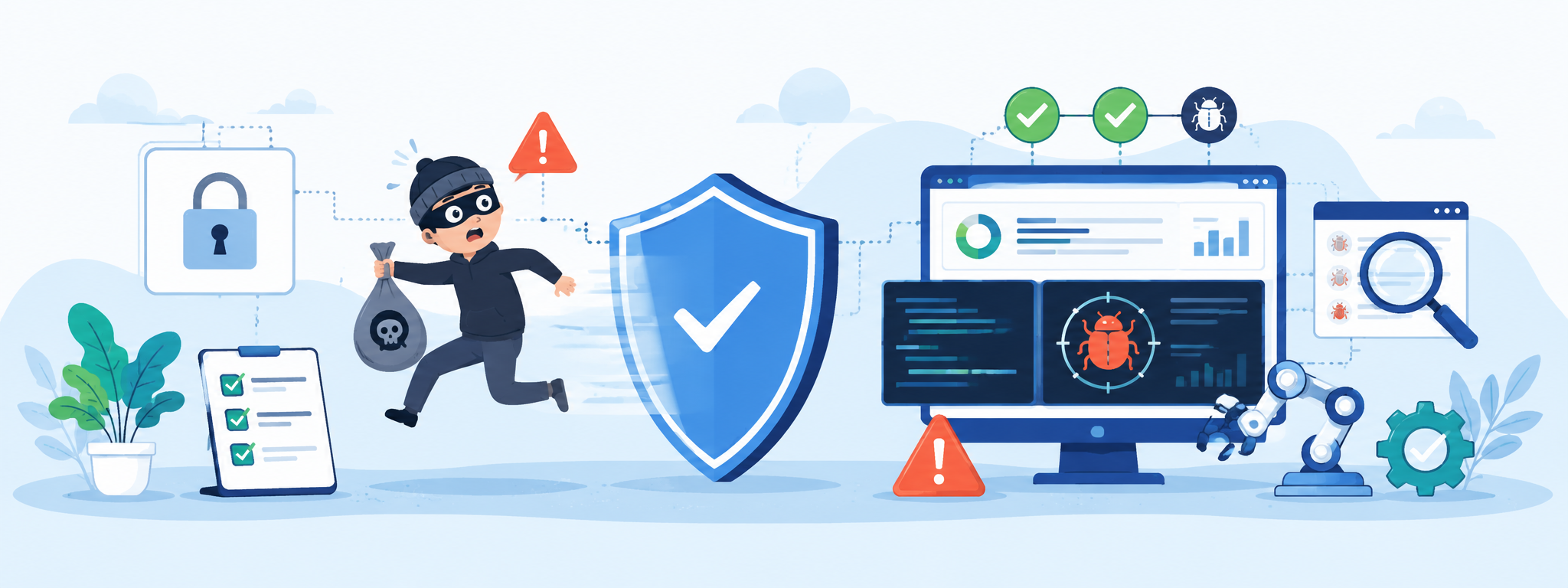

What Is Security Testing Automation?
Security testing automation helps teams check code, dependencies, infrastructure, APIs and runtime behaviour continuously instead of relying only on late-stage manual reviews.
Modern software changes quickly. Code is pushed often, infrastructure is updated through pipelines, dependencies change in the background and more teams are using AI to generate or modify code faster than before.
That creates a problem for security testing.
A manual review at the end of a release is no longer enough. By the time an issue is found, the context may already be lost, the change may already be merged and the fix may be more expensive than it needed to be.
Security testing automation helps teams catch security risks earlier, more consistently and across more parts of the software lifecycle. It does not remove the need for human judgement, but it can take over many of the repetitive checks that modern systems need all the time.
At its best, security testing automation is not just run a scanner and collect a report. It is a practical system of checks that supports developers, QA, DevOps and security teams before issues become production problems.
Security testing has moved beyond the old model
For a long time, security testing was often treated as a late-stage activity. Build the application, prepare for release, then run security checks or a penetration test near the end.
That model does not fit very well with modern development.
Today, software systems are more connected. A product may rely on third-party APIs, cloud infrastructure, open-source packages, CI/CD pipelines, identity providers, payment systems and internal services.
A weakness may not be in the application code itself. It may come from a dependency, a leaked secret, a misconfigured environment, a weak permission rule or a risky integration.
This is why security testing has moved from simple shift left thinking toward a broader approach. Catching problems earlier is still important, but modern security also needs to look across the whole system.
That includes code, dependencies, infrastructure, pipelines, runtime behaviour, APIs, access controls and sometimes AI-specific risks.
A secure application running on an insecure setup is still not secure.
Why automation matters in security testing
Security testing automation matters because modern products change too often for manual checks to keep up on their own.
A team may need to check for vulnerable dependencies, hardcoded secrets, insecure configurations, weak access controls, API exposure, missing validation and risky code patterns.
Some of these checks need to happen on every commit. Others should run during builds, deployments or against live environments.
Manual testing still has value, especially for exploratory thinking, abuse cases, business logic and risk review. But the repeated baseline checks need automation.
Automation gives the team a more consistent safety net. It can run when code changes, when dependencies update, when infrastructure is modified or when a deployment is prepared.
The goal is simple: find problems closer to the moment they are introduced.
What security testing automation can cover
Security automation can cover several layers of a product.
The exact setup depends on the product, risk level and maturity of the team, but most modern approaches include a mix of code, dependency, infrastructure, API, runtime and pipeline checks.
Code-level security checks
Static application security testing can scan source code for risky patterns, insecure functions, weak validation, unsafe data handling and other common security issues.
These checks are useful because they can run early in development. Developers get feedback while the code is still fresh, instead of waiting for a later review.
The limitation is that static tools can produce noise. They may flag something that looks risky without understanding whether it is actually reachable, exploitable or relevant in the product context.
That is why these checks need tuning and prioritisation.
A security tool that nobody trusts eventually becomes background noise.
Dependency and supply chain scanning
Modern applications often depend on many open-source packages. This means part of the security risk is inherited from third-party code.
Dependency scanning helps teams detect known vulnerabilities in libraries, frameworks and packages. It can also help maintain a clearer view of what components the product actually uses.
This is important because dependency risk can appear after the package was added. A component that looked safe six months ago may later have a known vulnerability.
Security automation makes this visible before it becomes a hidden problem.
Secrets and access checks
Leaked credentials, API keys and tokens are common security risks. They are often introduced by accident, especially when teams are moving quickly.
Automated secrets scanning can check commits, repositories and pipelines for sensitive values before they spread further.
Access checks can also help identify over-permissioned roles, weak policies or risky pipeline permissions.
These issues are easy to miss manually but can have serious impact when exposed.
Infrastructure and configuration testing
Cloud infrastructure and infrastructure-as-code make systems easier to deploy, but they also make misconfigurations easier to repeat.
A small mistake in a configuration file can open a port, expose storage, weaken access rules or create inconsistent environments.
Automated infrastructure checks can scan cloud configuration, infrastructure-as-code files and deployment settings before changes go live.
This helps catch problems earlier and prevents the same misconfiguration from being copied across environments.
API security testing
APIs are often where important product logic lives. A UI may block an action, but the backend still needs to enforce the rule properly.
API security testing can check authentication, authorization, input validation, missing fields, invalid values, repeated requests, data exposure and role-based restrictions.
This is especially important for SaaS and API-driven products, where users, accounts, roles and permissions can create many edge cases.
A good API security check does not only ask whether the endpoint returns a response.
It asks whether the right user can do the right action at the right time, and whether the wrong user is blocked properly.
Runtime and exposure monitoring
Some risks only become visible when the system is running. Code can look safe in isolation, but the live environment may expose unexpected behaviour.
Runtime checks, dynamic testing and monitoring can help detect exposed endpoints, unusual behaviour, suspicious activity and security issues that appear only when different parts of the system interact.
This helps close the gap between how the system was designed and how it actually behaves in the real world.
Pipeline security checks
CI/CD pipelines are often overlooked, even though they control how software is built, tested and deployed.
If a pipeline is insecure, the software passing through it inherits that risk. Security automation can validate pipeline configuration, enforce checks before deployment and monitor changes to the delivery process itself.
This matters because modern delivery pipelines are powerful. They often have access to secrets, environments, deployment permissions and production-like systems.
A weak pipeline can turn a secure codebase into an insecure release process.
AI creates new security testing challenges
AI is changing how software is built, but it also changes what needs to be checked.
Teams are using AI to generate code, write tests, review changes and speed up development. That can be useful, but it also increases the amount of code and logic that needs proper verification.
AI-generated code can still contain insecure patterns, incorrect assumptions, weak validation or copied mistakes. The fact that something was generated quickly does not mean it was designed safely.
AI systems also create their own security risks. Prompt injection, unsafe outputs, sensitive data leakage, model misuse and unexpected behaviour under adversarial inputs are different from traditional code-level issues.
This means security testing automation needs to evolve. It has to support normal application checks, but it also needs to consider AI-specific risks where AI features or AI-assisted workflows are part of the product.
The problem with noisy security tools
One of the biggest problems with security automation is not a lack of tools. It is too much noise.
Security tools can produce many findings, but not all findings are equally important. Some may be false positives. Some may be technically valid but not reachable. Some may affect a test environment but not production. Some may be low risk compared to another exposed issue.
When teams receive too many low-value alerts, they start ignoring them. That is dangerous because important findings can get buried inside the noise.
Good security testing automation should not only find issues. It should help the team prioritise them.
That means considering context: whether the code is reachable, whether the component is exposed, which environment is affected, what business impact the issue may have and whether the finding is actually actionable.
Automation becomes much more useful when it helps the team decide what to fix first.
Security automation is also a QA concern
Security is not only the responsibility of a security team.
Developers handle code-level issues. DevOps teams manage infrastructure and pipelines. Security teams define policies, tooling and risk priorities. QA can help validate product behaviour, edge cases, permissions, API responses and user flows that may create security risk.
A QA specialist may not replace a security engineer, but QA can help ask important questions:
- Can the wrong user access this data?
- Can the same action be repeated in a risky way?
- Does the backend enforce the rule or only the UI?
- What happens when required fields are missing?
- Does the system expose too much information in errors?
- Can a cancelled, expired or restricted account still perform actions?
These questions are part of product quality as much as security.
For many products, the line between a functional bug and a security issue is not always clean.
A permission bug, validation gap or exposed API response can be both a product defect and a security risk.
How to start improving security testing automation
Teams do not need to automate everything at once. In fact, trying to do that often creates more confusion.
A better starting point is to understand the current setup.
What checks already exist? Where do they run? Which ones are trusted? Which ones are ignored? Which areas are not covered at all? Where are the biggest risks?
After that, it makes sense to improve what already exists before adding more tools. If current checks are noisy, unreliable or disconnected from the workflow, adding another scanner will not fix the core problem.
The next step is usually to add automation at natural points in the development process. Lightweight checks can run on commits. Deeper checks can run during builds. Dependency and configuration checks can run before deployment. Runtime monitoring can support production visibility.
The important part is that automation should fit the team's workflow. If it creates too much friction, people will find ways around it. If it gives useful feedback at the right time, people are more likely to use it.
What to track when improving security automation
You do not need a complicated metrics system to understand whether security testing automation is improving.
A few practical signals are enough:
- Are issues being found earlier than before?
- Are teams acting on the findings?
- Are false positives going down?
- Are critical areas covered more consistently?
- Do checks run when they are supposed to?
- Can the team see what was tested and what was not?
- Are repeated security issues becoming less common?
The goal is not perfect numbers. The goal is better visibility, earlier feedback and more useful signals.
Security automation should make the team more confident, not just produce longer reports.
Common mistakes to avoid
One mistake is treating automation as a replacement for security thinking. Tools can identify patterns, but they do not automatically understand business impact, user behaviour or product context.
Another mistake is trying to automate everything without deciding what actually matters. This often leads to large test suites, slow pipelines and reports that nobody reads.
A third mistake is ignoring older systems. Legacy areas may feel stable simply because nobody changes them often. But stable does not always mean safe. Old assumptions, outdated dependencies and forgotten configurations can create real risk.
Another common mistake is failing to assign ownership. If security automation belongs to everyone, it can easily become nobody's responsibility.
Clear ownership matters: who fixes code findings, who owns pipeline issues, who reviews risk, who validates behaviour and who decides what blocks a release?
Security testing automation should support better decisions
Security testing automation is becoming a normal part of modern software quality.
It helps teams check code, dependencies, APIs, infrastructure, pipelines and runtime behaviour more consistently than manual testing alone can manage.
But automation is not valuable just because it exists. It needs to be useful, trusted and connected to the way the team actually builds software.
The best approach is usually gradual. Start by understanding current coverage, improve the checks that already exist, reduce noise, add automation where it fits naturally and keep human judgement focused on the risks that tools cannot fully understand.
Security automation should not only help teams find more issues.
It should help them find the right issues earlier, understand the risk more clearly and release software with fewer avoidable surprises.
Need practical QA support?
Laidoner Solutions helps software teams with manual QA, API testing, localization review, release checks and clear defect reporting.
Contact Us